

Giftology
Curate unforgettable gifts based on passions and moments with our app
It all starts with an idea
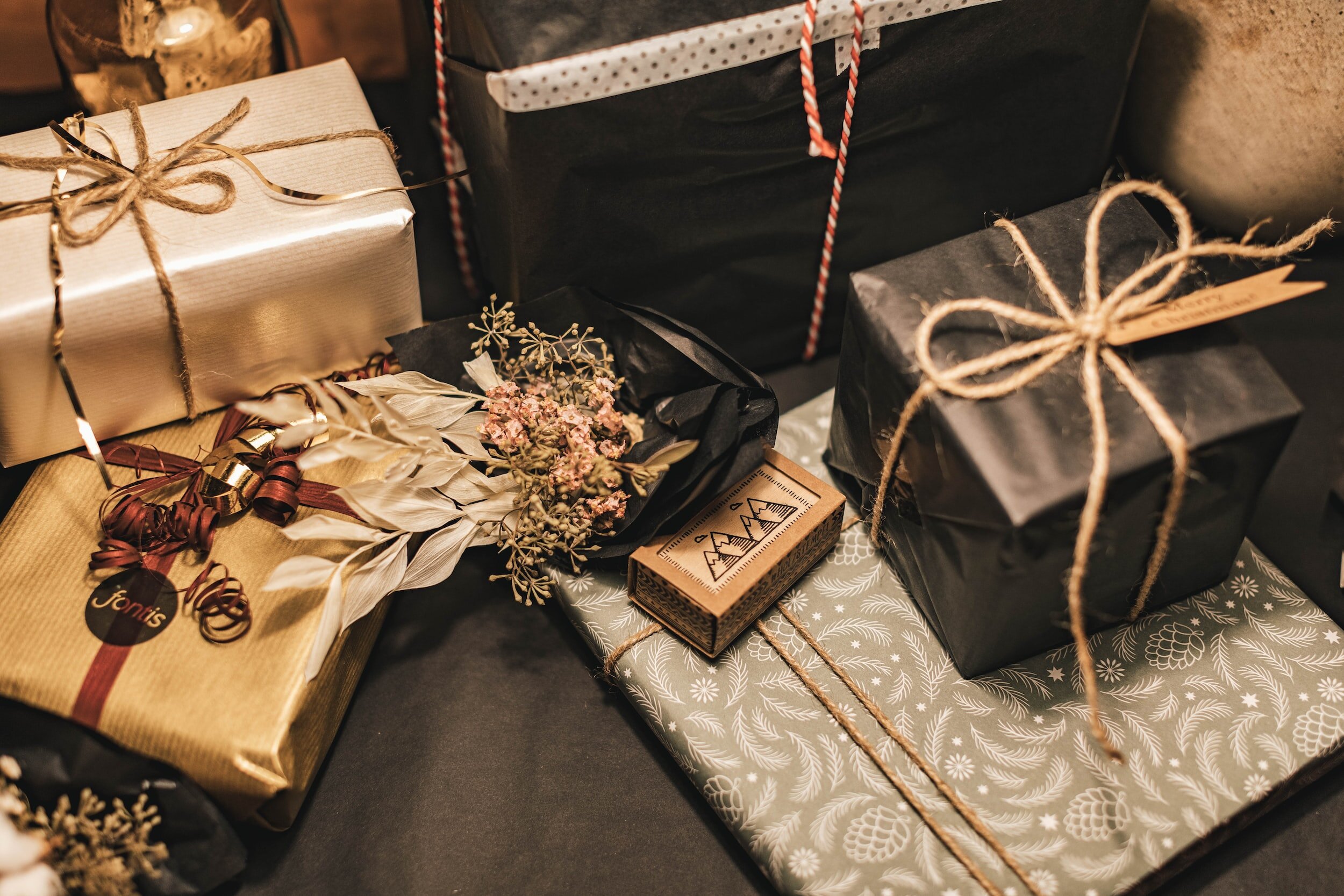
Giftology is an iOS mobile app designed to revolutionize the gift shopping experience by providing a comprehensive solution for individuals struggling to find meaningful gifts.
My case study highlights the journey of developing Giftology, the challenges faced, and the impact of my design decisions made along the way.
Tools
Figma, ChatGPT, Otter.AI
Mentors
Brad MacDonald, Barjinder Singh, Jamie Zhang, Rebecca Wang
Design System
iOS (Mobile)
My Role:
UX Research, Design and Revenue Strategy, Prototyping, UI
Duration
Feb 23 - Apr 23, Eight Weeks
Project Type
Academic, Capstone
The Beginning
Passionate about gift giving within my own social life, I recognized that gift giving can be a stressful activity of others. Thus, for my capstone project, I decided to create a resource to help guide gift givers in the process so that they can experience more joy, confidence, and success in the human behaviour.
THE PROBLEM SPACE
For thousands of years, gift-giving has been a practice across many cultures and species. In modern times, gift-giving has become one out of five established love language humans use to develop relationships.
However, with the rise of gifting options, the phenomenon of choice paralysis has become more prevalent, leading to a negative gift shopping experience for individuals who struggle with the expectation of finding a meaningful gift.
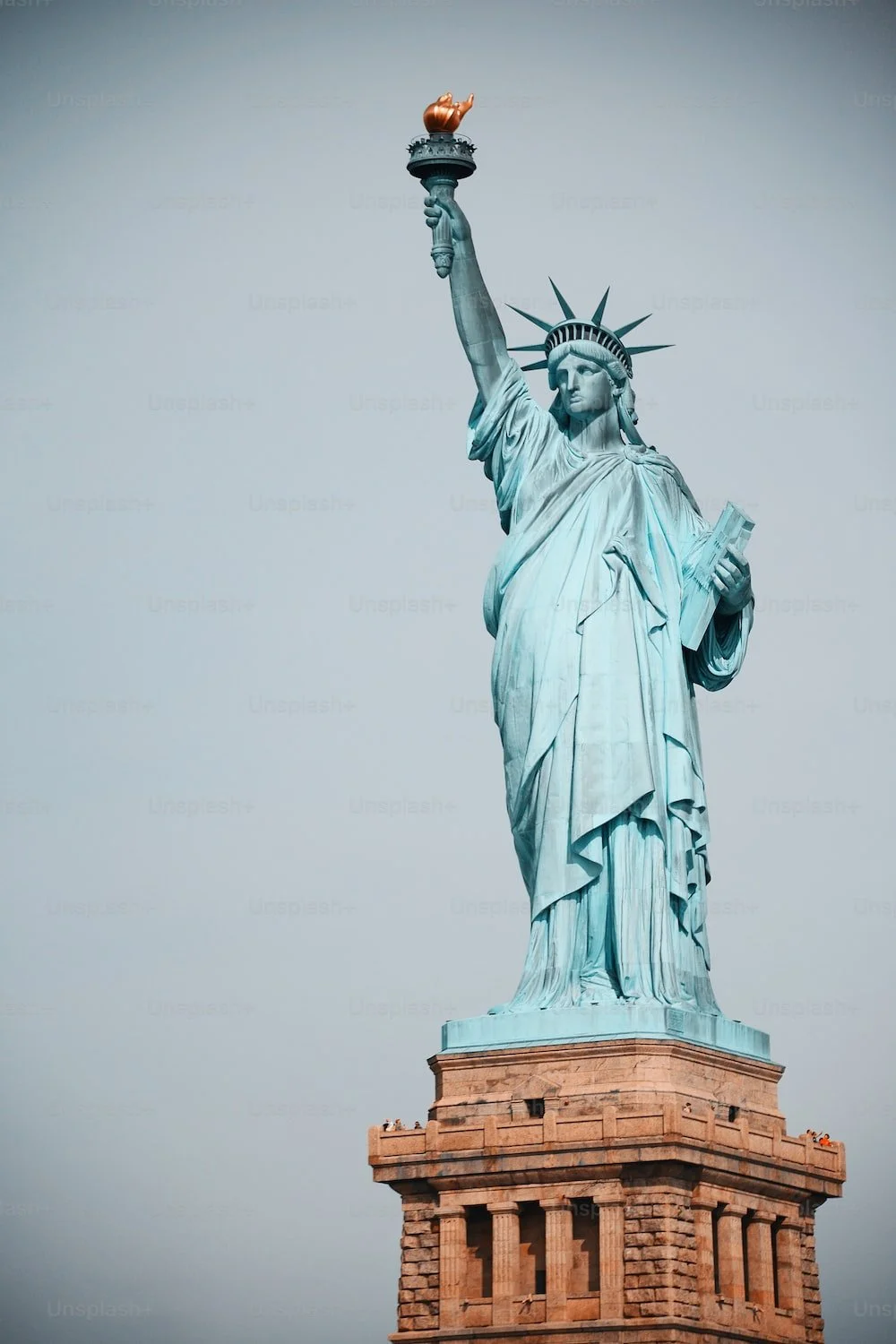
Lady Liberty
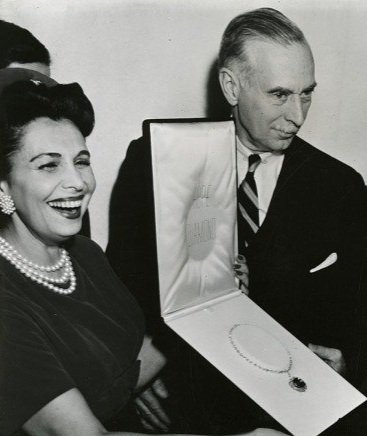
Hope Diamond
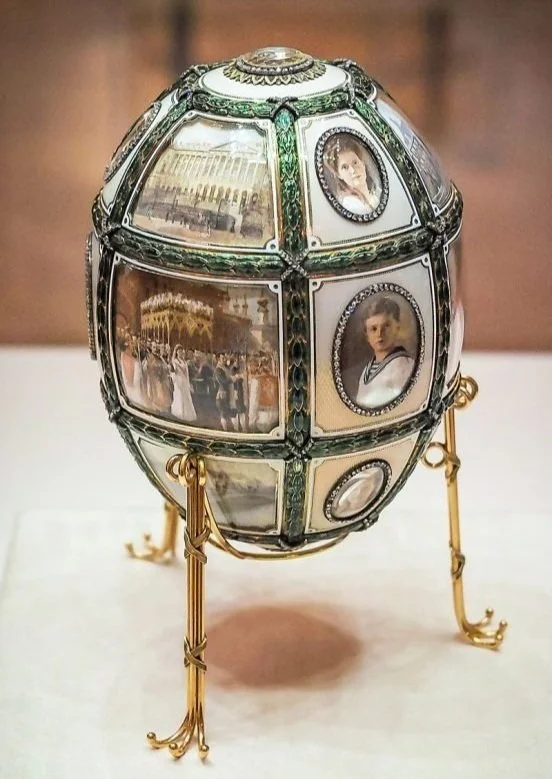
Fabergé Eggs
The Research
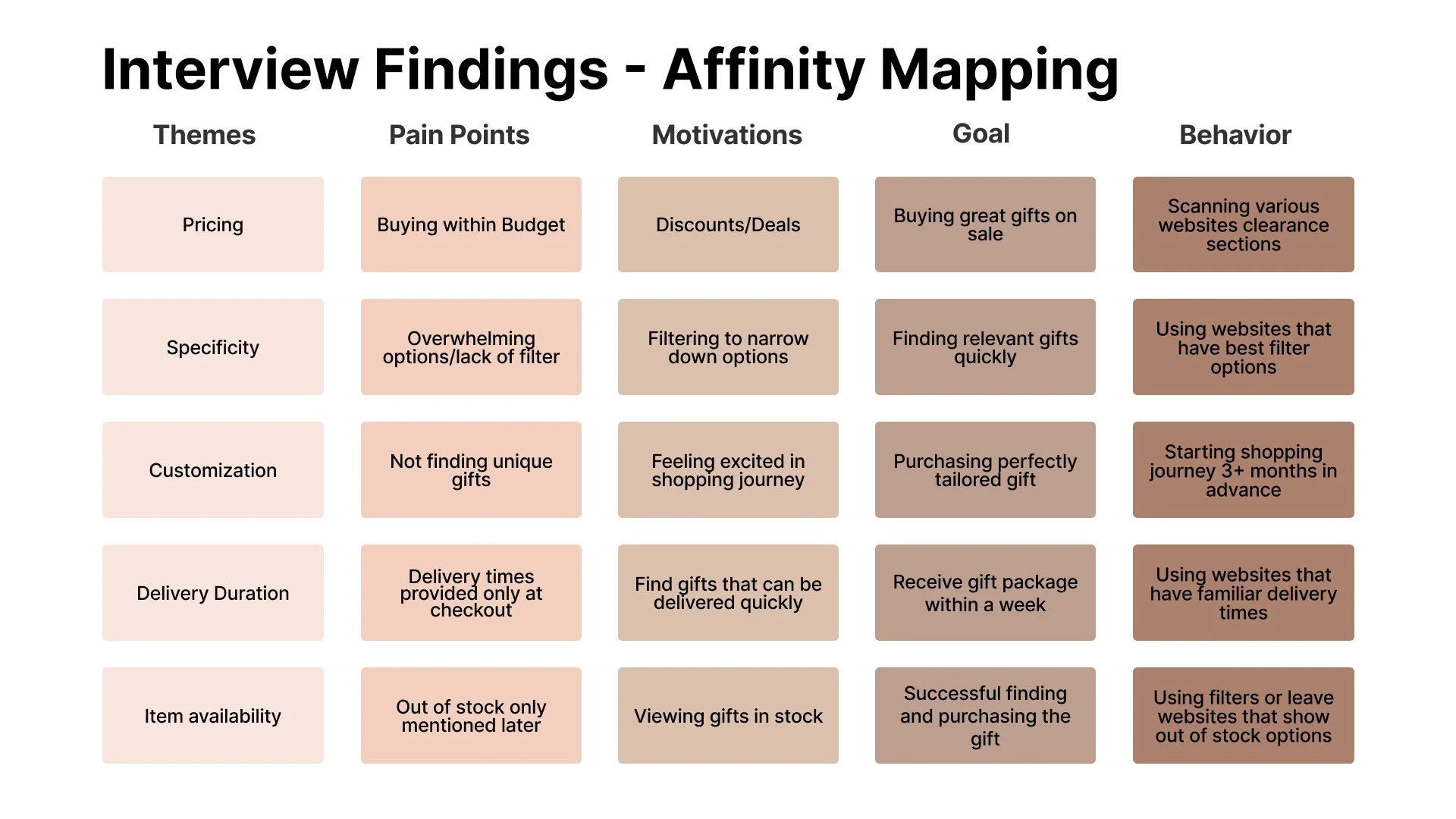
Interview Findings
What we heard
-
![]()
"I want to make people happy with luxurious items, without having to pay a luxurious price. "
~ Medina B.
-
![]()
"The most important thing is that the gift is tailored to the person. But when I’m shopping, the categories are suggested as “gifts for him” or “gifts for her” and the results are always generic."
~ Mladen B.
-
![]()
"Shopping online provides so many options but it’s frustrating when I see in my checkout that the item is out of stock or shipping will take over a two weeks."
~ Aida K.



Primary & Secondary research
Secondary Research
Sourcing 15+ articles based on gifting in North America, I found that a common insight was that 58% of parents aged 55+ wanted to buy meaningful gifts but found themselves feeling overwhelmed and buying gift cards as a solution.
Primary Research: User Interviews
Hosting three user interview sessions, I discovered from my participants, that individuals 55+ preferred using filters to save time and help with choice overload when searching for meaningful gifts.
With these findings in mind I went on to develop my How Might We and Design Hypothesis statements.
How might we
“How might we … help parents over the age of 55 find meaningful presents that make them feel excited to give to their loved ones?”
Design Hypothesis
I believe designing a gift-curation app for parents aged 55+ will save time, money, and reintroduce confidence for gift buyers looking for a meaningful gift.
Persona
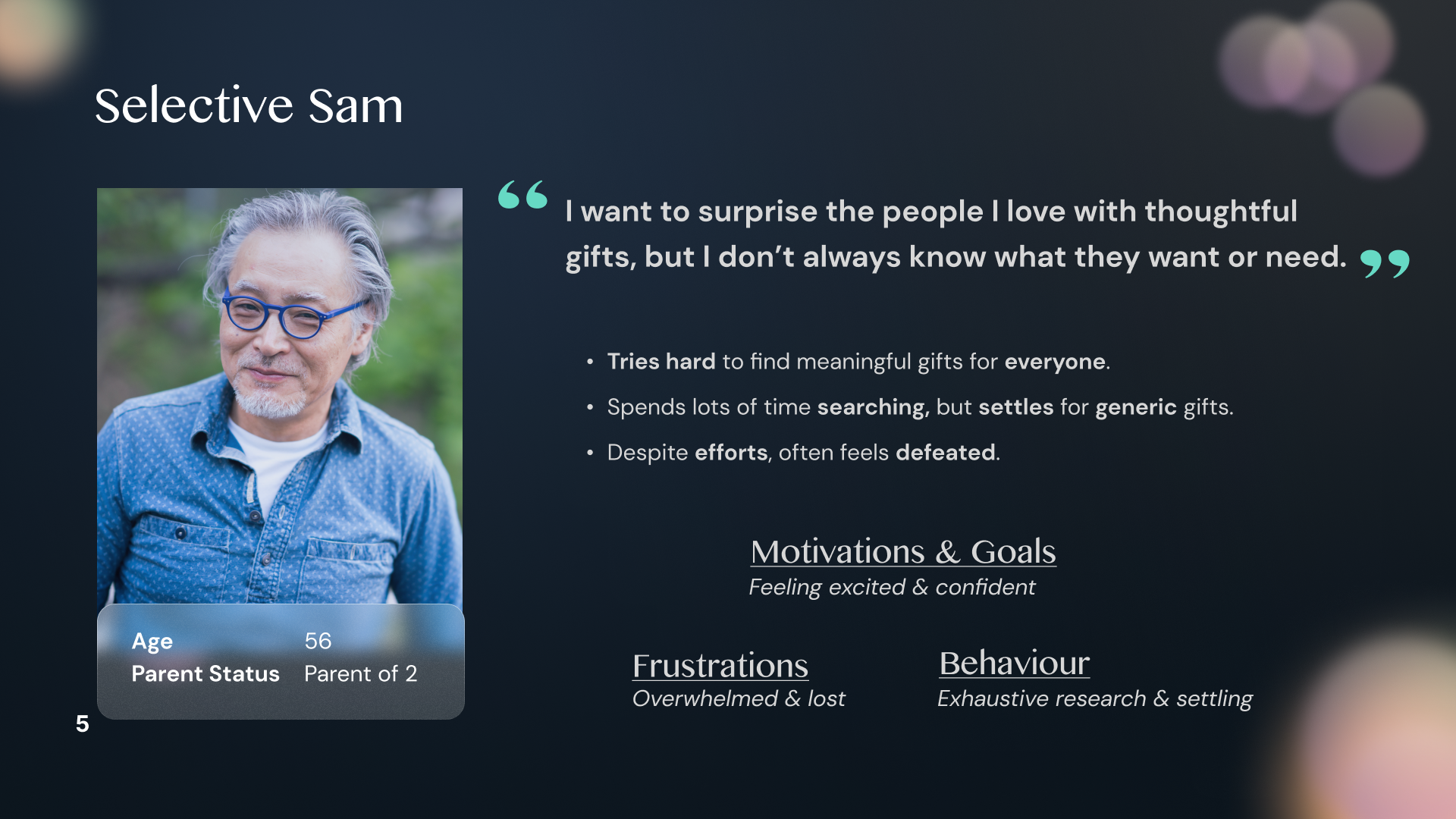
From there I created my user persona who was going to help me with the design of the application.
Selective Sam
While Sam provided a lot of support in the design of the task flow, it was a challenge for me to create a brand that tailored to an adult audience. I’ll speak more to this in the branding segment.
User stories
In order to help ideate and decide the features that I would create in the app, I created 40+ user stories to help identify key needs. Once I completed my list, I favoured 10 user stories that identified with the core epic of Gift Personalization and Recommendations.
Search for gifts based on certain criteria, such as occasions or interests, so that I can quickly narrow down my choices and find the most suitable gift.
Save and organize gift ideas in a wish list or favourites section, so that I can easily refer back to them and keep track of my options.
Receive notifications or reminders about upcoming holidays or special occasions, so that I can be prepared to send gifts on time.
Access gift guides or curated collections for specific occasions or interests, so that I can get inspiration for gift ideas that I may not have thought of before.
Create multiple recipient profiles and keep track of their birthdays, anniversaries, or other important dates, so that I can be reminded to send them a gift on time.
Describe the person I’m buying a gift for so that I can see recommended gifts based on my giftee.
Customize my gift with personal messages or gift wrapping options, so that I can make the gift more thoughtful and special.
Understand what is the best gift depending on an occasion so that I can buy an appropriate gift and build relationships.
Receive personalized gift recommendations based on my browsing and purchasing history, so that I can discover new gift ideas that are relevant to my interests.
Learn which gifts are popular in my community so that I can efficiently and confidently purchase likeable gifts.
Task Flow
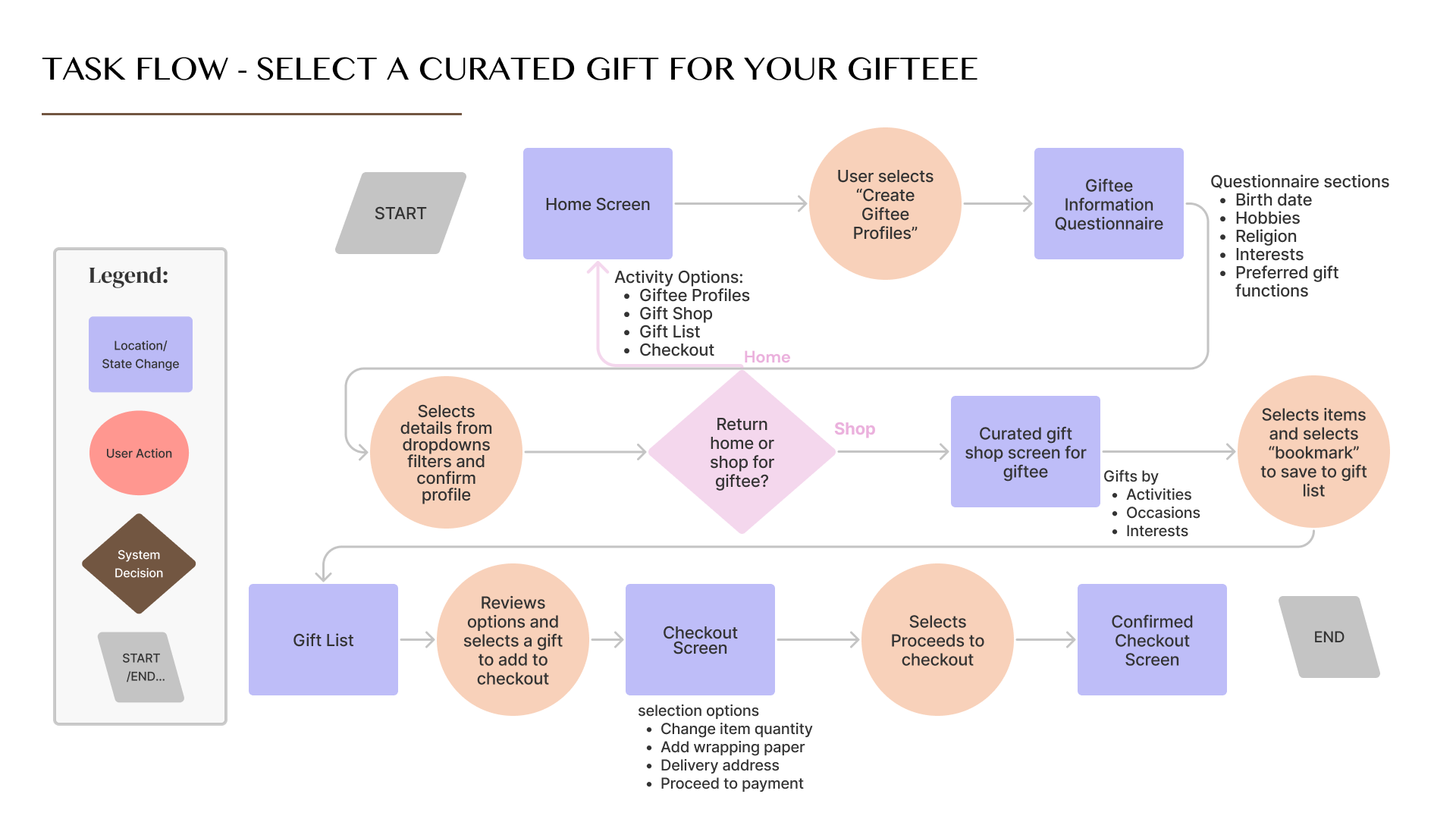
Considering the top 10 user stories, I brainstormed 3 task flows in order to determine the key feature solutions users would want to see. After participating in a peer critique session with three other UX designers, I finalized on a single task flow as a starting point for my app designs.
Solution Sketches
Once I knew the task from from the chosen user story, it took about 30 sketches to get to our solution sketches. But now that we’re here... let’s also take a look at the greyscale wireframes.
-
I wanted to make the app and product name very clear for users to understand upon first impression.
“Gift” is the product the user is looking for, while the suffix “ology” means the science of a subject. Therefore, as the app is a gift curation app, it seems fitting to name it “Giftology”, the expert of gift science.
The Prototype
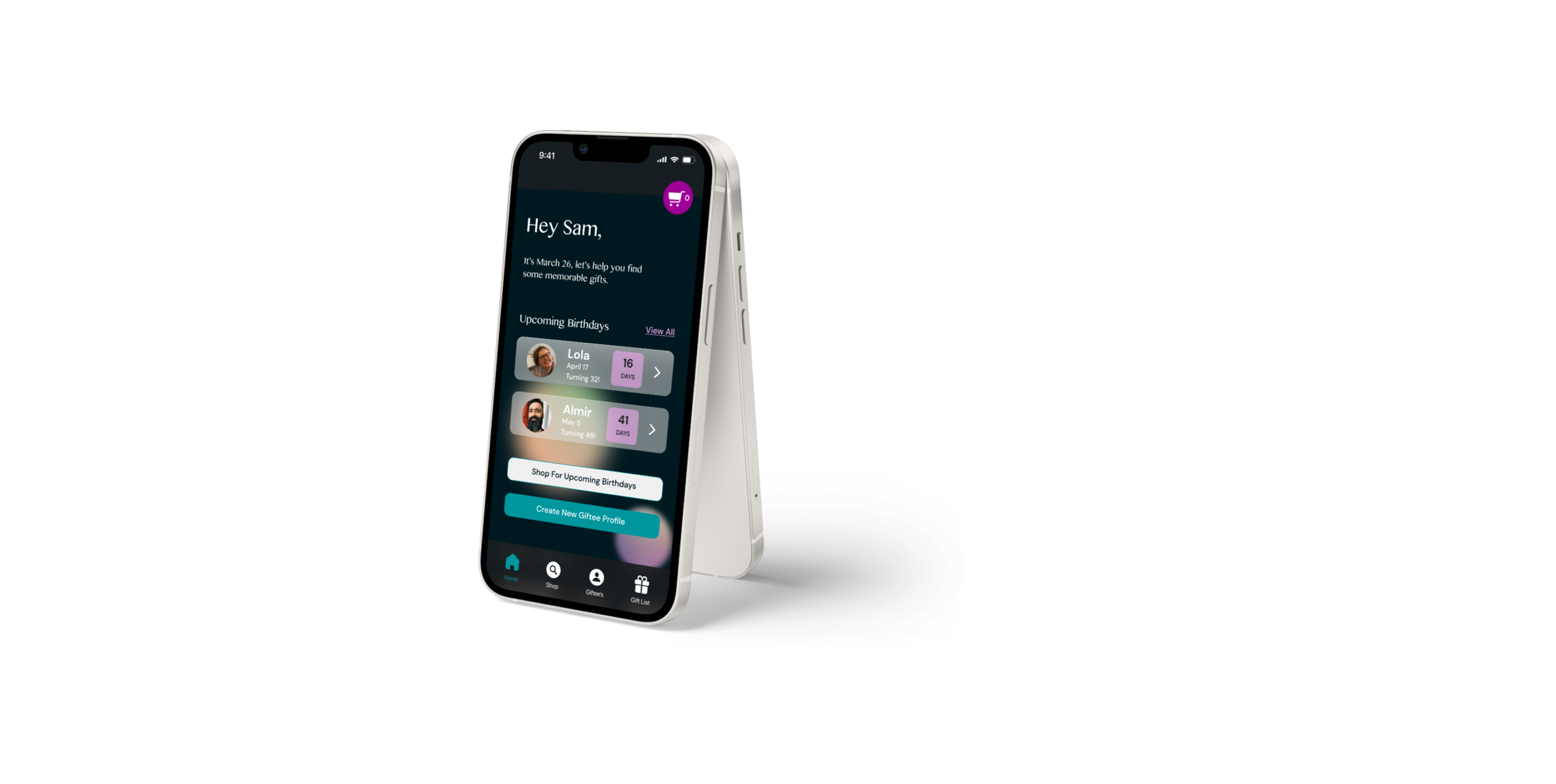
After three user testing sessions, three session outputs, and three iterations, I finally created the THE Prototype. Version 4.0.
In Version 4.0, I opted for a dark mode with a bokeh light effect behind glass cards to create the impression of viewing midnight celebrations through a photographic lens.
However, in Version 5.0, I plan to broaden the UI palette by experimenting with light mode background, various design systems from material to flat, and textures other than glass to possibly better capture the sense of celebration and human connection.
Version 5.0 will be ready for your viewing May 14, 2023.
To View The Prototype Version 4.0
Design Impact
-
With the presence of features like creating a portfolio for unique giftee profiles, gift buyers will feel confidence that gifts are specifically curated for the users as the filters provided are based on unique individual qualities.
An additional benefit to support gift buyer confidence is that gifts can be cultivated for different cultural and religious norms to ensure that gifts are always appropriate.
-
As a new UX designer, I quickly learned that the design process can be overwhelming and often involves navigating competing priorities. One decision I made early on was to incorporate dark mode into the design for Barok photo lens texture, as I believed it would add an interesting element to the brand's design.
However, I soon realized that my focus on aesthetics had caused me to overlook the most critical aspect of UX design: the user. Through research, I discovered that Giftology’s target demographic of parents aged 55+ may prefer lighter themes and different textures, prompting me to re-evaluate my approach.
Moving forward, I am committed to taking a more user-centered approach to design, which includes expanding my UI inspiration board to include a range of themes and textures and conducting A/B testing to ensure the best user experience. I am also pursuing certificate courses with BrainStation and BCIT to stay up-to-date on the latest developments in branding and marketing.
This experience has taught me that successful UX design is all about striking a balance between aesthetics and functionality, with the user's needs always taking priority.
Overall, I’m happy and proud that I let curiosity guide me in my first UI design and that I was not afraid of a challenge and I’m excited to refine my skills as I take on more courses and further develop the Giftology brand.
-
During the 10-week project timeline, I faced the challenge of performing extensive research to create a comprehensive solution for the gifting industry. Despite conducting research that showed parents over the age of 55 as the primary demographic for my app, I realized the need to expand my research to better cater to a wider audience. I believe that there is potential for a larger demographic to benefit from the app, and therefore, it is crucial to perform more research to design solutions and branding that cater to a wider range of users.
Moving forward, I aim to focus on conducting additional research, including 2 more rounds of user testing and A/B testing of my designs. This will allow me to better understand the needs and preferences of a wider demographic and refine my solutions to provide the most effective user experience. By conducting further research, I can ensure that my solutions and branding are inclusive and accessible to all users, regardless of age or background.
-
During the course of the project, I realized the value of an iterative design process. By continuously testing and refining my solutions, I was able to identify areas for improvement and make adjustments accordingly. This allowed me to create a more effective and user-friendly solution.
I found that collaborating with others and incorporating their suggestions was valuable, but it was important to keep sight of my overall goal and not be swayed too far off course in order to meet deadlines and stay consistent within the brand.Going forward, I plan to continue using an iterative design process and incorporate user testing and A/B testing to ensure that my solutions are creating a positive and effective user experience.
Moving Forward
I intend to collaborate with a peer student from Brainstation’s data science program, as well as web development program to learn the capacity of the technology that can be built for such an application. I’m specifically curious about how average designers (like me) could incorporate and design for machine learning in the iterative design process.
As well, I want to perform more secondary and primary user research to determine if there is a wider demographic of users who would use the Giftology product. With the assumption that gift-buyers ages 30-65 will want to use the product, I want to refine my branding and visual identity to better resonate with the Giftology target demographic.
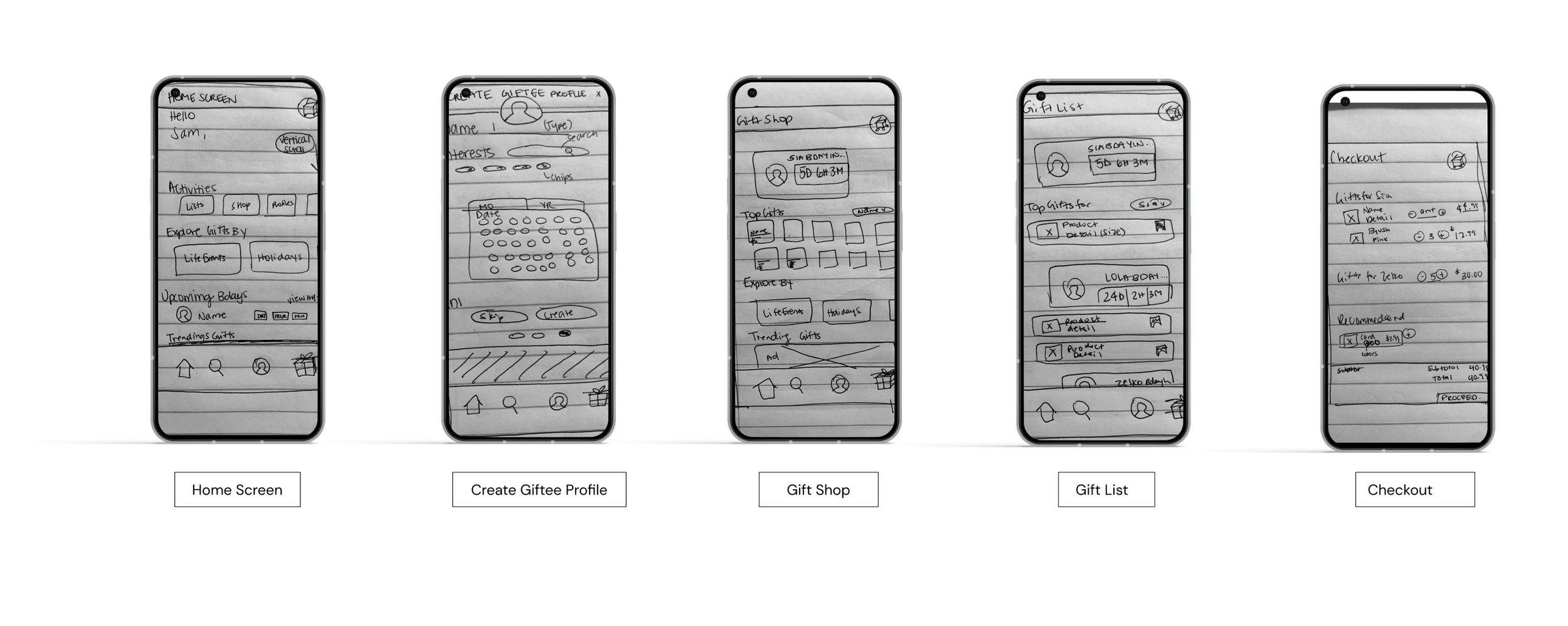
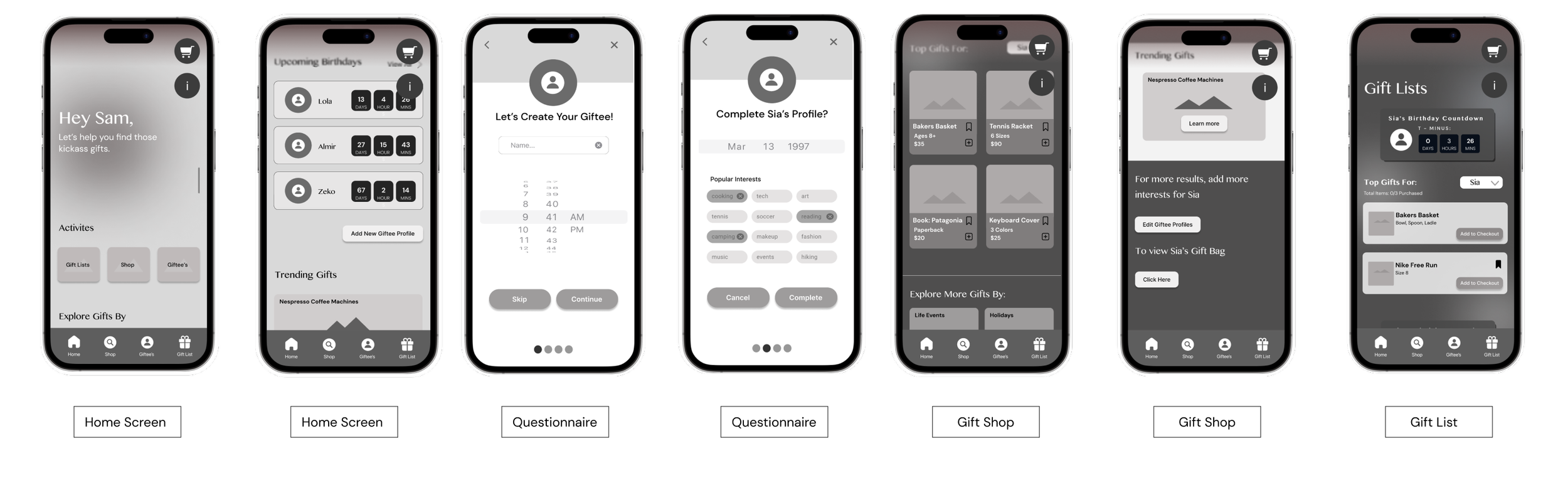
The first two wireframes showcase the home screen where users can start a task flow for their needs. My design challenge for now would be to help users create a user profile and shop for this individuals profile.
As I wanted to quickly jot down the my wireframe layout, I chose a scroll down that wasn’t for a month, but rather for a time just as a temporary place holder.
In my initial wireframes I also began experimenting with light mode and dark mode to determine which tones allowed elements to stand out more for an improved user experience - would a light CTA button or dark CTA button better attract users attention?
Logo & Icon Creation
-
In order to create an elegant and timeless feel for the wordmark, I decided to utilize Khmer MN in a pure black font #FFFFFF. Being an uncommonly used font, I appreciate it’s unique design as it is a serif based font with a serif foundational touch.
As a supporting font to increase legibility among smaller font sizes, I selected DM sans as a serif based harmonic typeface.
-
Upon launch, my design can simplify the gift shopping experience by providing a single source for all gifting needs. With the ability to input giftee details at any time and access personalized recommendations, gift buyers can shop with ease. Features like birthday reminders and access to gift lists and purchase history can save time and hassle, making the gifting process more enjoyable. Overall, my design has the potential to have a significant impact on simplifying gift shopping by providing gift buyers a single source to find, track and purchase their goal gifts.
Reflections
Through an iterative design process, I learned the value of individual design, peer feedback, and continuous improvement. Collaborating with over 20 UX designers allowed me to incorporate unique touches and ultimately create improved solutions.
-
While the font is the elegant and provides the desired classic touch, I want the brand to also have a slight fun approach to indicate celebration.
Thus, I decided to create colourful confetti in a glass-morphic design to sit at the bed of the text, as though the confetti has fallen and settled.
-
Finding joy in the gift shopping journey gift buyers can easily shop for events, curate for individual interests, and feel confidence that they’re buying gifts that are not just appropriate for any occasion, but perfectly meaningful and curated for each event and person.
Branding & UI
My journey began with a moodboard, a canvas of celebration that captured the essence of modern elegance and fun. I collected images that embodied the magic of every occasion - the exciting energy, the delicious scents, and the colours that spoke to the soul. It was like painting a picture of life, an ode to the feeling that brings us all together.
brand color selection
-
Teal is revitalizing colour that also represents open communication and clarity of thought, thus is it excellent as a primary colour for the brand as it is approachable and communicates reliability. Used for Call to Action Buttons.
-
Universally, purple ( which I call burgundy) is known as a colour of wealth, extravagance, creativity and magic. Seen in flowers, clothing, and wrapping paper, it is an appropriate colour for branding. However, due to it’s strong hue, it is best suited as a secondary colour. Used for Small text Call to Actions like “View All” an icon colouring.
-
Accent: Gold being luxurious and reserved for special moments, gold is a precious colour, communicating generosity and compassion, as well as being synonymous with divinity and power in many religious and celebratory settings. As gifts are given in either religious, traditional, or celebratory occasions, it is the perfect accent colour. Used for linework.